
Thursday, September 8, 2011
September / October Newsletter
The Fermilab Natural Areas' September/October newsletter is now available online! Read all about summer activities, our upcoming fall prairie harvests, FNA's new relationship with Northeast Illinois Invasive Plant Partnership and the Chicago area STEW map.
Thursday, September 1, 2011
New Trail adds mileage/diversity to Fermilab Natural Areas
Please enjoy the newest trail through restored oak-hickory savanna. This trail will be available year round for birdwatching, cross-country skiing, hiking, etc. Please enjoy and bring a friend!
 |
September Desktop Calendar
Enjoy scenes of Fermilab's natural areas on your computer desktop! Here are instructions for downloading & installing the September 2011 calendar pictured below onto your computer:

1. Click the image above to open in a new browser window (or tab).
2. Right-click (or ctrl-click for some Mac users) on the image, and chose the option that says, "Set Picture as", (or similar words; the exact wording will depend on your internet browser) and save to your desktop. On your desktop, right click “Properties” and select the “Desktop” tab. Click “Browse” and navigate to the saved image on your desktop. Select it & click “Open.” On the “Display Properties” dialogue box, click “OK.”
3. If the image does not fit your desktop background neatly, you may have to go to your preference screen (on a Mac: System Preferences > Desktop & Screen Saver > Desktop; or on Windows: Control Panel > Display > Desktop) and choose "Fit to screen" as the display mode of your background image.
FNA will make a new desktop calendar available each month. If you'd like to share photographs for future calendars or the FNA newsletter, send us a note at fermilabnaturalareas@gmail.com.
Monday, August 15, 2011
Photo of the Day: Monkey Flower
Gordon Koizumi, with some help from Julie Allen, found this monkey flower in one of Fermilab's ponds:


Monday, August 8, 2011
Photo of the Day: Cardinal Flower
Thanks to Gordon Koizumi, Fermilab employee & FNA supporter for this photo of cardinal flower:


Monday, August 1, 2011
August Desktop Calendar
Enjoy scenes of Fermilab's natural areas on your computer desktop! Here are instructions for downloading & installing the August 2011 calendar pictured below onto your computer:

1. Click the image above to open in a new browser window (or tab).
2. Right-click (or ctrl-click for some Mac users) on the image, and chose the option that says, "Set Picture as", (or similar words; the exact wording will depend on your internet browser) and save to your desktop. On your desktop, right click “Properties” and select the “Desktop” tab. Click “Browse” and navigate to the saved image on your desktop. Select it & click “Open.” On the “Display Properties” dialogue box, click “OK.”
3. If the image does not fit your desktop background neatly, you may have to go to your preference screen (on a Mac: System Preferences > Desktop & Screen Saver > Desktop; or on Windows: Control Panel > Display > Desktop) and choose "Fit to screen" as the display mode of your background image.
FNA will make a new desktop calendar available each month. If you'd like to share photographs for future calendars or the FNA newsletter, send us a note at fermilabnaturalareas@gmail.com.
Friday, July 29, 2011

Thursday, July 28, 2011
July / August Newsletter

Photo: Tom Peterson & butterfly walk participants, July 7, 2011
Wednesday, July 27, 2011
Photo of the Day: Starry Campion
Thanks to Fermilab employee & FNA member Gordon Koizumi for this photo of starry campion (July 22):


Friday, July 8, 2011
Photo of the Day: Red Milkweed Beetle
From the prairie, Gordon Koizumi's photo of a red milkweed beetle:


Friday, July 1, 2011
July Desktop Calendar
Enjoy scenes of Fermilab's natural areas on your computer desktop! Here are instructions for downloading & installing the July 2011 calendar pictured below onto your computer:

1. Click the image above to open in a new browser window (or tab).
2. Right-click (or ctrl-click for some Mac users) on the image, and chose the option that says, "Set Picture as", (or similar words; the exact wording will depend on your internet browser) and save to your desktop. On your desktop, right click “Properties” and select the “Desktop” tab. Click “Browse” and navigate to the saved image on your desktop. Select it & click “Open.” On the “Display Properties” dialogue box, click “OK.”
3. If the image does not fit your desktop background neatly, you may have to go to your preference screen (on a Mac: System Preferences > Desktop & Screen Saver > Desktop; or on Windows: Control Panel > Display > Desktop) and choose "Fit to screen" as the display mode of your background image.
FNA will make a new desktop calendar available each month. If you'd like to share photographs for future calendars or the FNA newsletter, send us a note at fermilabnaturalareas@gmail.com.
Tuesday, June 28, 2011
Picnic Fun

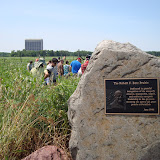
On Sunday, June 26, more than 50 FNA members gathered under the oaks in the center of the Betz Prairie to enjoy extraordinary sunshine, beautiful breezes, a tasty lunch and each other's company.
In addition to historical musings by Bob Lootens, attendees enjoyed a prairie walk & talk by FNA Board Member Mitch Adamus, a guided bird walk with Peter Kasper and Dave Spleha and a butterfly walk with Tom Peterson. In the village, Martin Valenzuela offered a presentation about processing prairie seed.
Many thanks to Bob Lootens, Marlene Rosecrans & Evalyn Campbell for their planning efforts!
More photos from the event are available online:
 |
| FNA Picnic, June 26, 2011 |
Friday, June 17, 2011
Photo of the Day: Cow Parsnip

Wednesday, June 15, 2011
Photo of the Day: Red Crayfish

After the rain last Thursday, Fermilab employee Gordon Koizumi found this red crayfish!
Monday, June 13, 2011
Photo of the Day: Wild Hyacinth

Thanks to Fermilab employee Gordon Koizumi for sharing this photo of Wild Hyacinth taken in late May!
Friday, June 10, 2011
Get Outside this Sunday: Fermilab Family Outdoor Fair

For more information, call (630)840-5588 or email edreg@fnal.gov
Wednesday, June 1, 2011
June Desktop Calendar
Enjoy scenes of Fermilab's natural areas on your computer desktop! Here are instructions for downloading & installing the June 2011 calendar pictured below onto your computer:

1. Click the image above to open in a new browser window (or tab).
2. Right-click (or ctrl-click for some Mac users) on the image, and chose the option that says, "Set Picture as", (or similar words; the exact wording will depend on your internet browser) and save to your desktop. On your desktop, right click “Properties” and select the “Desktop” tab. Click “Browse” and navigate to the saved image on your desktop. Select it & click “Open.” On the “Display Properties” dialogue box, click “OK.”
3. If the image does not fit your desktop background neatly, you may have to go to your preference screen (on a Mac: System Preferences > Desktop & Screen Saver > Desktop; or on Windows: Control Panel > Display > Desktop) and choose "Fit to screen" as the display mode of your background image.
FNA will make a new desktop calendar available each month. If you'd like to share photographs for future calendars or the FNA newsletter, send us a note at fermilabnaturalareas@gmail.com.
Monday, May 23, 2011
Birds, Butterflies, and Blooms: A walk through Fermilab’s Big Woods
A group of 7 had an exciting mid-day walk. It was an adventure going along the south path of the Big Woods heading east and looping through the woods back to the Margaret Pearson Trail. Experts and friends abounded. Patches of twinleaf and Jacob’s ladder greeted us first, the latter with petals of lavender and soft blue. Neon red quickly turned our attention to the tree canopy as a Scarlet Tanager was seen, a first for many. An angle-wing butterfly took off from its resting place. Two large Red-bellied Woodpeckers courted. Sunlight dappled through the newly emerging leaves of red oak and sugar maple and we saw a Tiger Swallowtail franticly fly south. The air was humid like summer. The group next came upon literally hundreds of large white trilliums, red trilliums, and even a few nodding white trilliums. The deer had not nibbled them away. A bridge crossing the creek held an empty chrysalis from an unknown species of butterfly, perhaps a Grey Comma (rare to the Chicago region but common in Fermilab’s restored woodlands). As ground squirrels hid, we continued down the path and saw a blue-headed vireo, Dutchmen’s breeches, and broad-leaved puccoon (the latter rated a 10 of 10 on the conservative scale). We looped back to see the hepatica and heard, then saw a Baltimore Oriole. At the edge of the woods was a nice treat. Several Rose-breasted Grosbeaks were feeding on the newly emerged catkins of a red oak tree. Marsh marigold blossomed in the nearby wetland. What a nice way to spend our lunch break, witnessing the ecology of Fermilab’s natural areas. Hope to see you next time!
Wednesday, May 18, 2011
FNA May/June Newsletter Published

The online version of the May/June 2011 Fermilab Natural Areas newsletter is available and includes a recap of Earth Week activities and spring burns as well as details about our upcoming FNA five-year celebration picnic planned for Sunday, June 26!
Monday, May 16, 2011
Photo of the Day: Bellwort
Gordon Koizumi photographed Bellwort in the Big Woods at Fermilab, back in April:


Friday, May 13, 2011

Thursday, May 12, 2011
Photo of the Day: White Trillium
Last week Gordon Koizumi photographed white trillium in Fermilab's Big Woods:


Tuesday, May 10, 2011
Photo of the Day: Red Trillium
FNA supporter & friend Gordon Koizumi captured this photo of red trillium last week:


Monday, May 9, 2011
Volunteer Workday: Garlic Mustard Pull
FNA will be hosting a garlic mustard pulling event at Fermilab on Wednesday May 11th from 4-6 pm.
Please meet at the Lederman Science Center parking lot at 4:00PM (Across from the guard shack at the Pine Street Entrance). Wear mud boots or shoes and long sleeves. Bring gloves if you have any as poison ivy is starting to leaf out.
We will be focusing on Morgan's woods at the corner of Kirk and Pine St.
Photo of the Day: Shooting Star
Thanks to Gordon Koizumi for the photo of shooting star, from the Fermilab prairie:


Monday, May 2, 2011
Photo of the Day: Dutchman's Breeches
Thanks to Gordon Koizumi for the photo of Dutchman's Breeches:


Sunday, May 1, 2011
May Desktop Calendar
Enjoy scenes of Fermilab's natural areas on your computer desktop! Here are instructions for downloading & installing the May 2011 calendar pictured below onto your computer:

1. Click the image above to open in a new browser window (or tab).
2. Right-click (or ctrl-click for some Mac users) on the image, and chose the option that says, "Set Picture as", (or similar words; the exact wording will depend on your internet browser) and save to your desktop. On your desktop, right click “Properties” and select the “Desktop” tab. Click “Browse” and navigate to the saved image on your desktop. Select it & click “Open.” On the “Display Properties” dialogue box, click “OK.”
3. If the image does not fit your desktop background neatly, you may have to go to your preference screen (on a Mac: System Preferences > Desktop & Screen Saver > Desktop; or on Windows: Control Panel > Display > Desktop) and choose "Fit to screen" as the display mode of your background image.
FNA will make a new desktop calendar available each month. If you'd like to share photographs for future calendars or the FNA newsletter, send us a note at fermilabnaturalareas@gmail.com.
Wednesday, April 27, 2011
Online Viewing: FNA as a Restoring Force?

Photo: Ryan Campbell, Julia Allen & 2009 FNA intern Courtney Gill
in Fermilab's main ring prairie.
Tuesday, April 26, 2011
Photo of the Day: Trout Lilly & Twin Leaf
Enjoy these photos from Gordon Koizumi:

Trout Lilly

Twin Leaf
Today's Woodland Walk Cancelled
The walk in the Big Woods, originally scheduled for today at noon, has been cancelled due to muddy conditions on the trails.
Friday, April 22, 2011
Earth Day Talk: Fermilab Natural Areas as a Restoring Force?

Fermilab Ecologist Ryan Campbell will present his talk, "Fermilab Natural Areas as a Restoring Force?" today at noon in Fermilab’s Wilson Hall One West conference room. This presentation offers a comprehensive presentation on the goals and efforts of Fermilab and FNA’s ecological efforts.
Happy Earth Day!
some photos from Gordon Koizumi, taken at Fermilab:


Virginia Bluebell

Spring Beauty
Tuesday, April 19, 2011
Today's Planting Cancelled
Due to the unfortunate weather, we will be canceling the native shrub planting. Our official Arbor Day event is scheduled for May 3rd from 11:30 AM - 1 PM.
The seed planting scheduled for tomorrow, April 20th is still on. 11:30 AM at the Interpretive Prairie trail.
The seed planting scheduled for tomorrow, April 20th is still on. 11:30 AM at the Interpretive Prairie trail.
Friday, April 1, 2011
April Desktop Calendar
Enjoy scenes of Fermilab's natural areas on your computer desktop! Here are instructions for downloading & installing the April 2011 calendar pictured below onto your computer:

1. Click the image above to open in a new browser window (or tab).
2. Right-click (or ctrl-click for some Mac users) on the image, and chose the option that says, "Set Picture as", (or similar words; the exact wording will depend on your internet browser) and save to your desktop. On your desktop, right click “Properties” and select the “Desktop” tab. Click “Browse” and navigate to the saved image on your desktop. Select it & click “Open.” On the “Display Properties” dialogue box, click “OK.”
3. If the image does not fit your desktop background neatly, you may have to go to your preference screen (on a Mac: System Preferences > Desktop & Screen Saver > Desktop; or on Windows: Control Panel > Display > Desktop) and choose "Fit to screen" as the display mode of your background image.
FNA will make a new desktop calendar available each month. If you'd like to share photographs for future calendars or the FNA newsletter, send us a note at fermilabnaturalareas@gmail.com.
Thursday, March 31, 2011
Volunteer Workday

It's almost spring and Fermilab Natural Areas is preparing to sell rain barrels! We are planning to host a rain barrel building workday next Thursday afternoon, April 7, from 3:30 to 5:30 p.m, at Fermilab's Site 37 Roads & Grounds shop. If you are able to help out, please send us a note & let us know!
If you can't help out on Thursday, but are interested in purchasing a rain barrel, let us know that, too!
Contact us at fermilabnaturalareas@gmail.com.
Thursday, March 10, 2011
March/April Newsletter
The FNA March/April newsletter is now available online and includes details on a full calendar for March, April and May. We've also included a feature on the Arbor Day strategy, history on the Habitat Restoration efforts, an introduction to a prairie seed rate planting study as well as butterfly and bird updates. As always, if you have any questions, topic ideas or other random notions, let us know at fermilabnaturalareas@gmail.com.
 |
Friday, March 4, 2011
2010 Year in Review
At the annual general membership meeting in February, Rod Walton presented the following "Year in Review" for FNA activities in 2010:
Fermilab Natural Areas made admirable progress during 2010, even though it may not have been as much or as fast as we’d like! During the year we took a significant step in communicating with the members by publishing a bi-monthly newsletter. Most of the credit for that accomplishment goes to Paula Lambertz, the volunteer editor. Many thanks to 

Paula! If you are not receiving the newsletter and would like to, please let us know, and we will make sure that your email address is added to the list. And if you have ideas about the content of the newsletter or would like to become a contributor, be sure to tell us that as well.
Jolie Macier put together a paper calendar for 2011, featuring photographs of various natural areas at Fermilab and also made month by month computer desktop calendars available. Many thanks to our photographer friends who provided the photos for these calendars.
During 2010 we were joined by Heather Williams, who has enthusiastically taken on the daunting challenge of grant-writing for FNA. So far, Heather has put together an impressive list of proposals, all of which are pending as this is written. Grant proposals for website upgrades, improvements and expansion of the Margaret Pearson Interpretive Trail, and restoration of the oak savanna in the main ring are being considered. During the year, we also received a grant of $6,000 from the Boeing Community Fund to finance the invasive weed control program during 2011. The Boeing grant was written by Ryan Campbell earlier in 2010.
We also supported the Robert F. Betz internship during the summer for the second year. Jessica Meyers spent the summer in the field assisting in seed collection, wildlife studies and invasive control among other things.
A committee of the Board of Directors, composed of Dick Untch, Mitch Adamus and Shawna Coronado continue to make progress on a brochure and self-guided tour of the natural areas at the Lab. We are fortunate to have Fermilab partner with us on this project.
Finally, we formalized the legal relationship with Fermi Research Alliance, LLC, with the signing of a Memorandum of Understanding that defines how these two entities will cooperate for the betterment of the Laboratory.
As for the vision for 2011, we intend to make significant progress again; supporting the Betz Intern for the third year, doing a better job of organizing and recognizing volunteers, while expanding volunteer opportunities, seeking corporate sponsors for some of our activities, and continual improvement in communication with our membership.
Any questions? Send us email at fermilabnaturalareas@gmail.com. Thanks for your support!
Tuesday, March 1, 2011
March Desktop Calendar
Enjoy scenes of Fermilab's natural areas on your computer desktop! Here are instructions for downloading & installing the March 2011 calendar pictured below onto your computer:

1. Click the image above to open in a new browser window (or tab).
2. Right-click (or ctrl-click for some Mac users) on the image, and chose the option that says, "Set Picture as", (or similar words; the exact wording will depend on your internet browser) and save to your desktop. On your desktop, right click “Properties” and select the “Desktop” tab. Click “Browse” and navigate to the saved image on your desktop. Select it & click “Open.” On the “Display Properties” dialogue box, click “OK.”
3. If the image does not fit your desktop background neatly, you may have to go to your preference screen (on a Mac: System Preferences > Desktop & Screen Saver > Desktop; or on Windows: Control Panel > Display > Desktop) and choose "Fit to screen" as the display mode of your background image.
FNA will make a new desktop calendar available each month. If you'd like to share photographs for future calendars or the FNA newsletter, send us a note at fermilabnaturalareas@gmail.com.
Monday, February 28, 2011
Event Recap: 4th Annual General Membership Meeting


Following the formal meeting, the assembled members and friends lingered over cookies coffee, catching up on off-season activities and sharing ideas for the future of Fermilab Natural Areas.

Thanks to all who came out for the annual meeting and a special thanks to Pam Becker for the yummy refreshments.
Friday, February 25, 2011
Fermilab Family Open House

Tuesday, February 22, 2011
Ash Borers and Tree Safety
Rod Walton authored this article which was originally published in Fermilab Today:
The Fermilab Village is home to a diverse community of trees, including exotic ornamental varieties and species native to our area. These trees provide a habitat for insects, birds and mammals as well as provide an appealing appearance and welcome shade in the summer. Unfortunately, approximately 150 ash trees exist among this collection.
This is unfortunate because these trees likely will become infected with emerald ash borers, an invasive, imported beetle that has decimated ash tree populations in the Midwest. Trees infected with this pest invariably die within a few years and can cause hazards when located near buildings or roads.
 The beetles were first discovered at Fermilab in 2007 along Kirk Road and since then, the infestation has spread to cover the entire site, including the Village. Many ash trees are now dead or dying as a result. Experts from the Illinois Department of Agriculture and the Morton Arboretum predict that virtually all our mature ash trees will die during the next few years.
In order to manage this imminent problem, Fermilab will begin preemptively removing ash trees in the Village, perhaps as early as this winter. As resources allow, the Roads and Grounds Department will continue to replace trees in the Village where it is appropriate to do so. Replacing these trees is something that our volunteers can help do during events such as our annual Arbor Day celebration. In the natural areas of the site, away from human activity, dead trees will be left standing to provide habitat for birds, insects and other wildlife. These trees will be incorporated into the future management of all Fermilab’s remaining natural areas.
Without prohibitively expensive chemical treatment, there is no viable defense against the emerald ash borer. Local municipalities and forest preserve districts are bracing for this problem now, and many neighboring municipalities are removing ash trees before they die or show overt signs of infestation. Preemptive removal of trees spreads out the cost and manpower needed to remove the trees safely and avoids the risks that standing dead trees create in populated areas.
Tuesday, February 8, 2011
February 17: 4th Annual Membership Meeting

Tuesday, February 1, 2011
February Desktop Calendar
Enjoy scenes of Fermilab's natural areas on your computer desktop! Here are instructions for downloading & installing the February 2011 calendar pictured below onto your computer:

1. Click the image above to open in a new browser window (or tab).
2. Right-click (or ctrl-click for some Mac users) on the image, and chose the option that says, "Set Picture as", (or similar words; the exact wording will depend on your internet browser) and save to your desktop. On your desktop, right click “Properties” and select the “Desktop” tab. Click “Browse” and navigate to the saved image on your desktop. Select it & click “Open.” On the “Display Properties” dialogue box, click “OK.”
3. If the image does not fit your desktop background neatly, you may have to go to your preference screen (on a Mac: System Preferences > Desktop & Screen Saver > Desktop; or on Windows: Control Panel > Display > Desktop) and choose "Fit to screen" as the display mode of your background image.
FNA will make a new desktop calendar available each month. If you'd like to share photographs for future calendars or the FNA newsletter, send us a note at fermilabnaturalareas@gmail.com.
Monday, January 24, 2011
Upcoming Regional Eco-Events
Long Chicago winters provide lots of time for musing about the growing season and summer recreation. Winter also plays host to many events that remind us that spring will soon be upon us. The following events are some of FNA's recommended favorites:
 Fermilab's Education Office Family Open House, February 27, 1-5 p.m., at Fermilab
- Wild Things Conference, March 5, 8 a.m. - 5 p.m., University of Illinois at Chicago. FNA's Tom Peterson describes this conference as high-energy with lots of grass-roots folk, with topical tracks ranging from climate change to birds to natural history.
- Illinois Butterfly Monitoring Network (IBMN) annual workshop, March 12, 9:30 a.m. - 3 p.m., Peggy Notebaert Nature Museum
- Bartlett Nature Center's Earth Day celebration, April 30, noon - 4 p.m., James "Pate" Philip State Park

If you are interested in representing FNA at either the Fermilab Family Open House or the Earth Day celebration in Bartlett, please send us an email. Thanks!
photo credit: Joe Pygott
Tuesday, January 18, 2011
January/February Newsletter

Sunday, January 2, 2011
January Desktop Calendar
Enjoy scenes of Fermilab's natural areas on your computer desktop! Here are instructions for downloading & installing the January 2011 calendar pictured below onto your computer:

1. Click the image above to open in a new browser window (or tab).

1. Click the image above to open in a new browser window (or tab).
2. Right-click (or ctrl-click for some Mac users) on the image, and chose the option that says, "Set Picture as", (or similar words; the exact wording will depend on your internet browser) and save to your desktop. On your desktop, right click “Properties” and select the “Desktop” tab. Click “Browse” and navigate to the saved image on your desktop. Select it & click “Open.” On the “Display Properties” dialogue box, click “OK.”
3. If the image does not fit your desktop background neatly, you may have to go to your preference screen (on a Mac: System Preferences > Desktop & Screen Saver > Desktop; or on Windows: Control Panel > Display > Desktop) and choose "Fit to screen" as the display mode of your background image.
FNA will make a new desktop calendar available each month. If you'd like to share photographs for future calendars or the FNA newsletter, send us a note at fermilabnaturalareas@gmail.com.
Wednesday, December 29, 2010

Wednesday, November 24, 2010
November/December Newsletter

Subscribe to:
Posts (Atom)


 Posts

